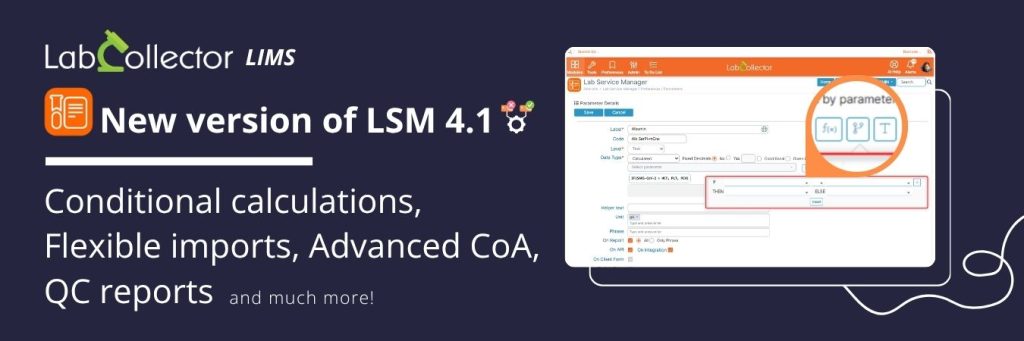
Conditional calculations, Dynamic CSV, QC reports and more!
Running tests is not just about getting results. It is also about spotting outliers, staying compliant, and reacting quickly when something goes wrong. Whether you work in diagnostics, quality control, or research, every result needs context and traceability.
That is exactly what the new LSM v4.1 brings to your lab.
With automatic alerts for non-conformities, conditional formulas, dynamic CSV imports, and on-demand QC reports, this update helps labs work faster, stay accurate, and keep full control of their data. Here’s a deep dive of the latest features:
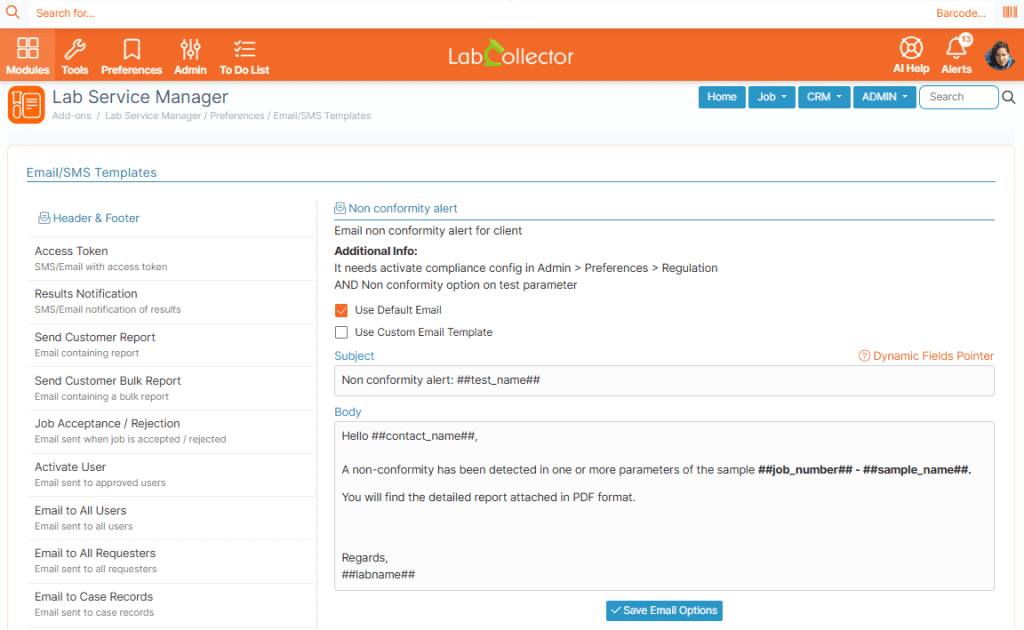
Non‑conformity workflow
Out-of-range values are now auto-detected, and a pop-up gives users the choice to keep or discard the result. You can configure which email template to send: the default notice or a personalized message. And if needed, a second popup lets you notify the requester instantly.
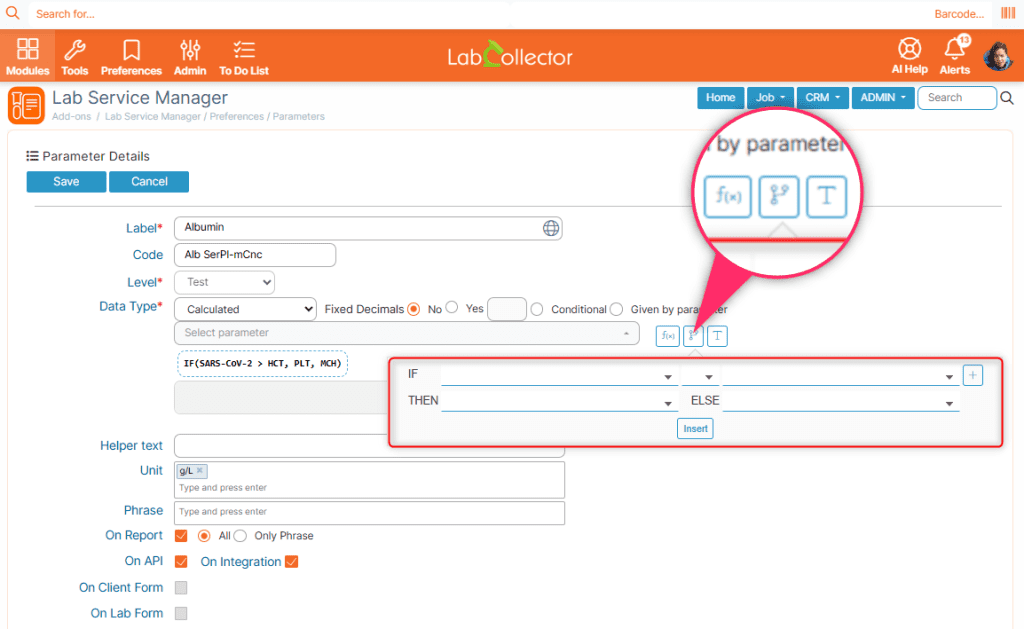
Conditional rules in calculated parameters
Set result formatting rules that adjust decimals based on value thresholds, thanks to new IF‑clauses that let you fine-tune accuracy dynamically.
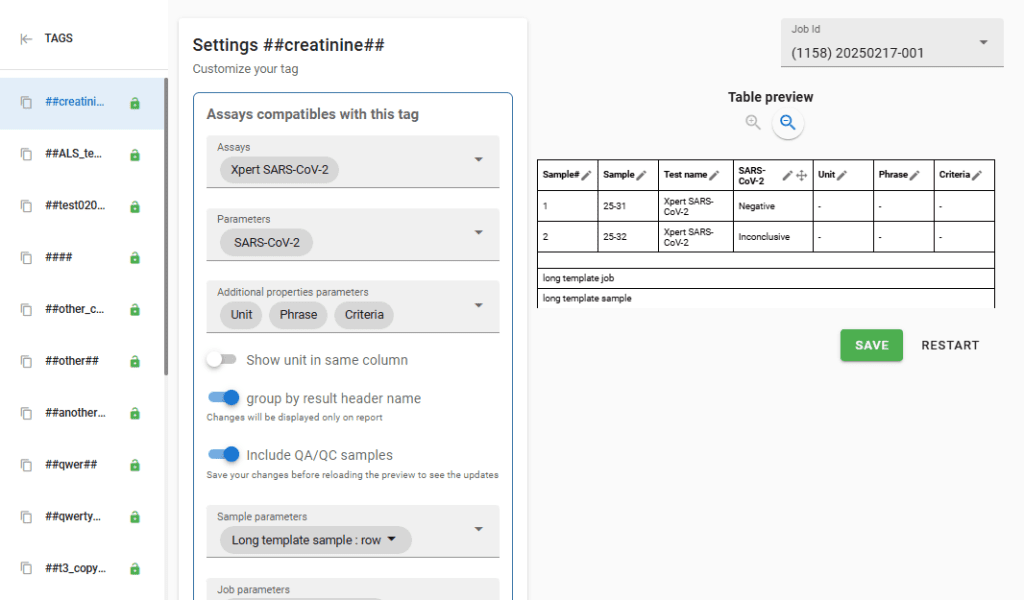
Customizable reports
Reports just got richer, with the latest TagMaker enhancements. Now you can group rows by parameter name, include QA/QC data lines, toggle units and phrases, add caption text, and use new dynamic tags like sample count, previous test date, criteria description, and creation dates from cases or attached modules.
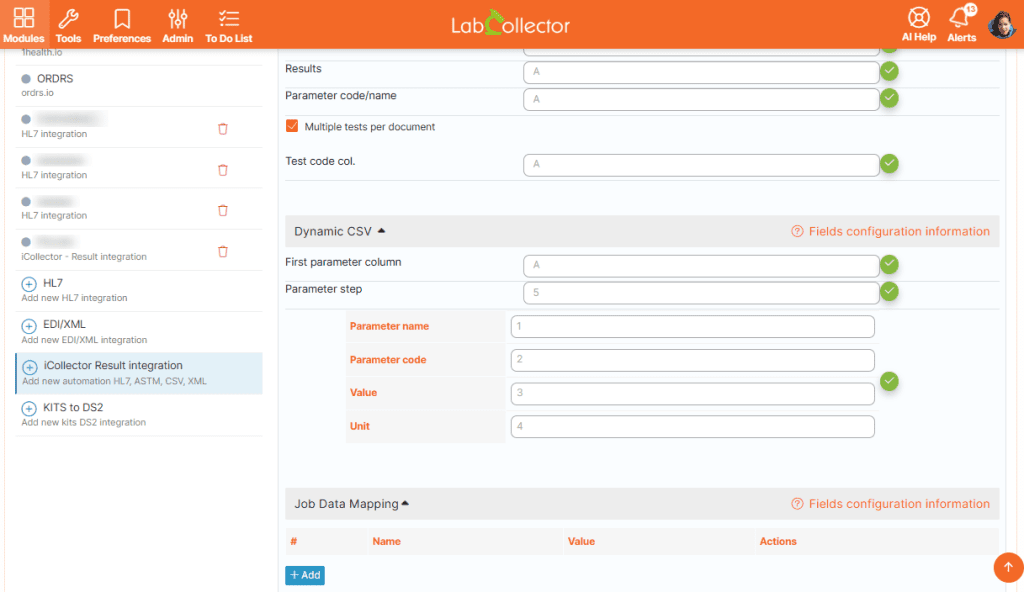
Flexible imports
You can now define the starting column and step, use SPLIT and CONCAT functions, and access a comprehensive in-app help panel for mapping guidance.
Simpler access & barcode scanning for clients & patients
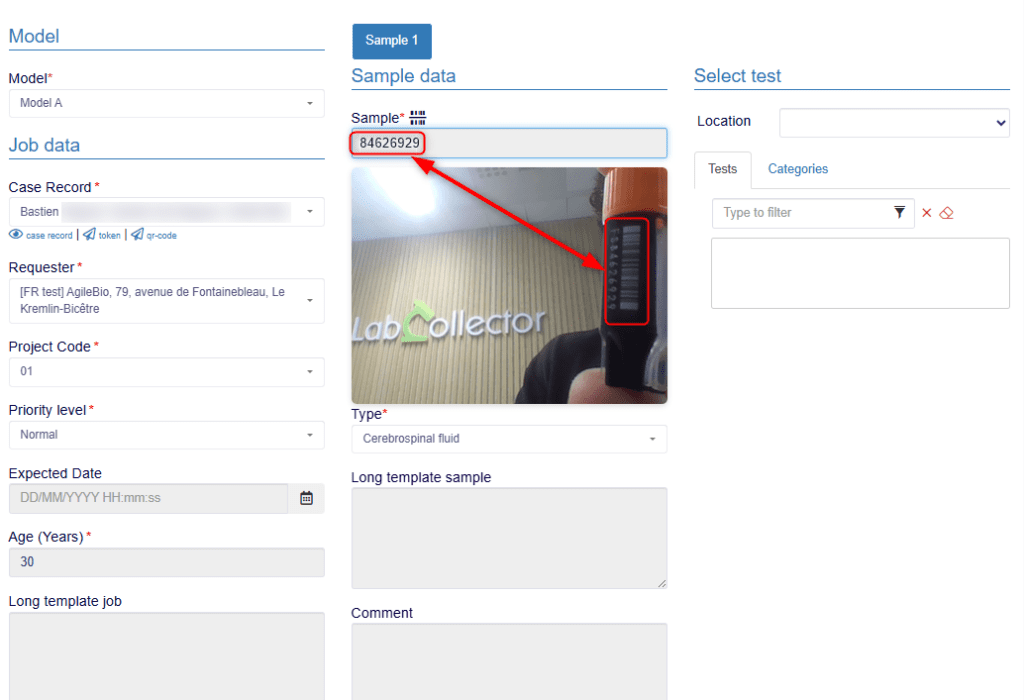
LSMRemote now connects to LabCollector’s SSO, giving clients and patients a faster, secure login experience. They can also scan sample or kit barcodes directly from their browser, no special app required. This new feature reduces typing errors and supports QR codes, 1D, and 2D barcodes for accurate, real-time sample identification.
New “Sample” result tab
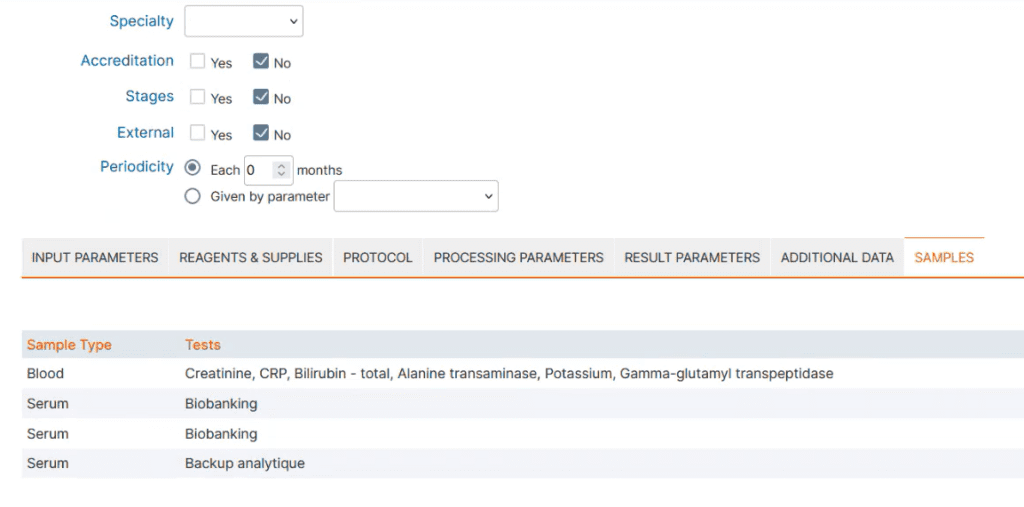
The new Samples tab under Admin → Preferences → Tests makes it easy to track which samples were used in downstream assays.
QC reports on demand
Generate on-the-fly QC PDFs, anytime you need them, perfect for audits.